Use this guide with a free ScanScore resource
- Free A4 OMR sheet PDFs — Ready-to-print answer sheets in three sizes, with four or five options.
Grading multiple-choice exams by hand consumes dozens of teaching hours every term. Yet most schools cannot justify spending ₹50,000 to ₹2,00,000 on bulky dedicated OMR machines. Modern free OMR scanning using phone technology has completely solved this dilemma: any teacher with an ordinary Android smartphone can now scan, grade, and record MCQ bubble sheets in roughly four seconds per paper.
This complete step-by-step guide explains how a free phone OMR scanner operates, how to print readable A4 answer sheets, how to hold and align your mobile camera for 99.9% accuracy, and how to export instant scorecards and WhatsApp reports without paying a single rupee.
How free OMR scanning using phone actually works
Traditional optical mark readers rely on specialized infrared optics and custom pre-printed paper. In contrast, mobile phone OMR scanners use high-precision computer vision algorithms executed directly on the device processor:
Fiducial Corner Registration
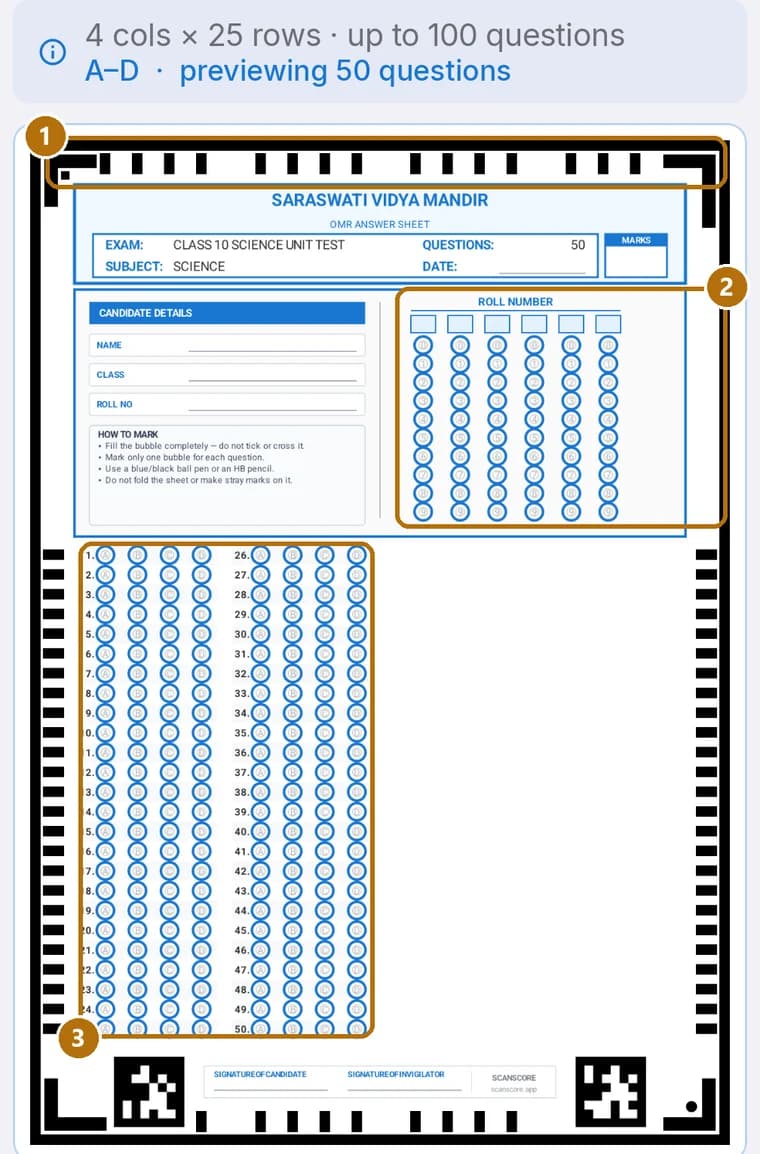
When your camera views the paper, the scanner instantly locks onto four black corner registration squares printed on the A4 sheet. This anchors the coordinates regardless of whether the sheet is angled, rotated, or slightly curved.
Perspective Correction & Flattening
The app applies a 3×3 mathematical homography matrix to remove perspective distortion. Even if you hold your phone at an angle over a school desk, the software reconstructs a perfectly flat 2D plane.
Ink & Graphite Density Measurement
Each bubble location is sampled for pixel absorption against a background calibration threshold. Clear bubbles read as white; shaded ballpoint pen or pencil marks register as filled choices.
Instant On-Device Marking
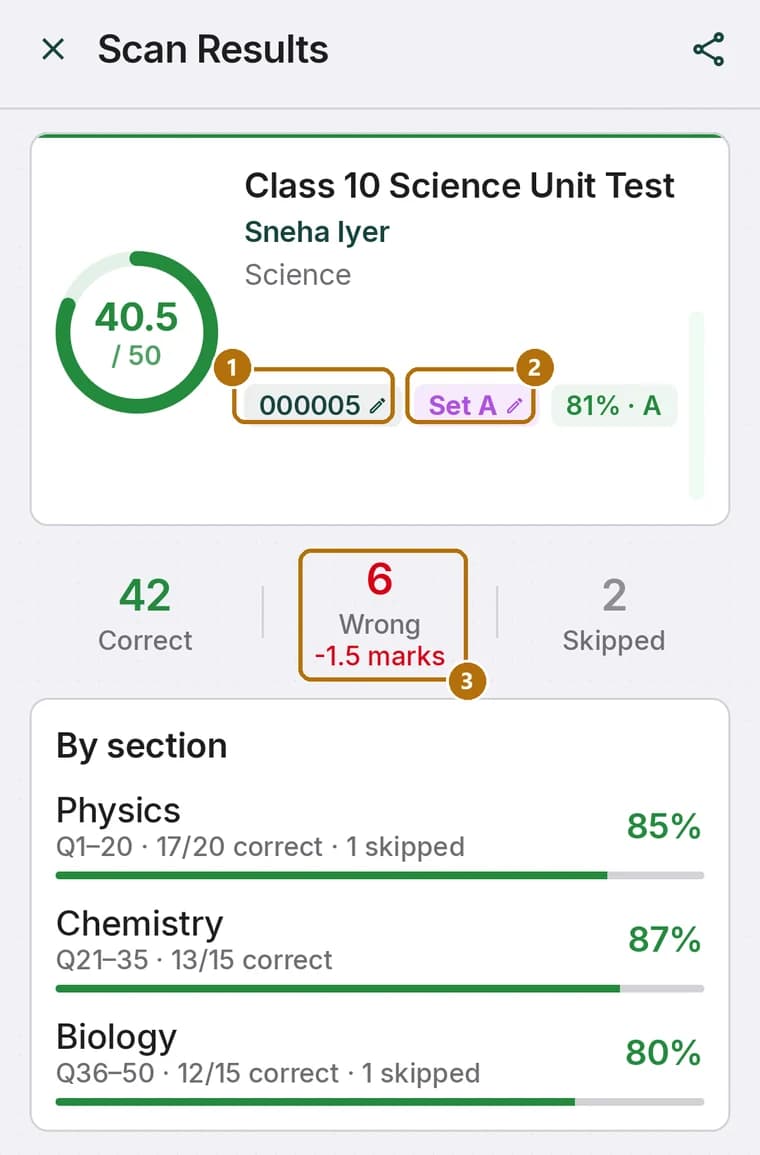
The detected answers are scored against your answer key, negative marking deductions are computed with exact decimal precision, and the roll number is identified—all locally without uploading student exams to the cloud.
What you need to get started
You do not need an expensive flagship device or special photographic lighting. The hardware requirements are minimal:
- Any Android phone or tablet: Running Android 7.0 (Nougat) or later with a standard 8–12 megapixel rear camera and autofocus.
- Standard office printer: Any monochrome laser printer or inkjet printer capable of printing A4 documents.
- Plain A4 photocopy paper: Regular 70–80 GSM white paper. No pre-printed stationery, barcodes, or colored forms required.
- Black/blue ballpoint pen or HB pencil: Students can fill bubbles using either pen or pencil.
The 4-step setup workflow
Going from zero to a fully graded class takes less than ten minutes:
Step 1: Set up the exam in ScanScore
Open ScanScore, enter the exam title, subject, and number of questions (from 10 up to 200 questions on a single A4 page). Choose 4 options (A–D) or 5 options (A–E). You can input your answer key by tapping bubbles, pasting an answer string, or using our four answer key methods.
Step 2: Print the generated A4 sheet
ScanScore generates a print-ready PDF containing the precise registration marks, roll number grid, and bubble layout. Print this sheet at 100% scale (actual size) with fit-to-page disabled. Detailed printing precautions are in our A4 OMR sheet creation guide.
Step 3: Conduct the test and collect sheets
Students shade their roll number in the bubble grid and mark their answers. If you are conducting competitive mock tests with negative marking, ScanScore allows you to configure ¼, ⅓, or custom penalties—learn more in our negative marking guide.
Step 4: Scan and evaluate with your phone camera
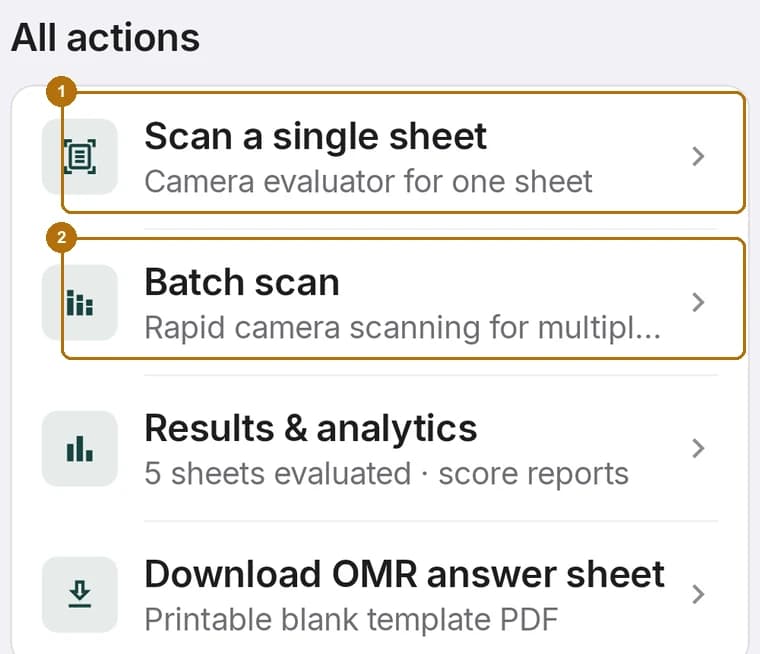
Open the exam, tap Scan, and hold your phone above each answer sheet. The auto-capture engine identifies the four corner marks, takes the reading, grades the student, and saves the score in about four seconds.
Camera alignment, distance & lighting tips
To achieve consistent 99.9% detection accuracy and avoid retakes, follow these simple camera habits:
Fast continuous batch scanning for classes
When you have 40 to 100 answer sheets, tapping a capture button for each paper is exhausting. ScanScore’s Batch Mode keeps the camera stream active continuously:
- Hands-Free Auto-Capture: The app monitors corner alignment. The moment a sheet is flat and steady, it captures automatically without touching your screen.
- Slide-to-Next Motion: Once captured, slide the top sheet off the stack. The camera detects paper motion, resets its trigger, and captures the next paper immediately.
- Speed: A typical class of 45 students is graded in under 3 minutes—saving over 90 minutes compared to red-pen marking. See our workflow breakdown in how to check MCQ answer sheets fast.
Instant scores, WhatsApp delivery & CSV exports
Once scanning is complete, the data is immediately usable:
- Rank Order & Class Analysis: View class averages, medians, pass rates, and highest/lowest marks in our class result analysis report.
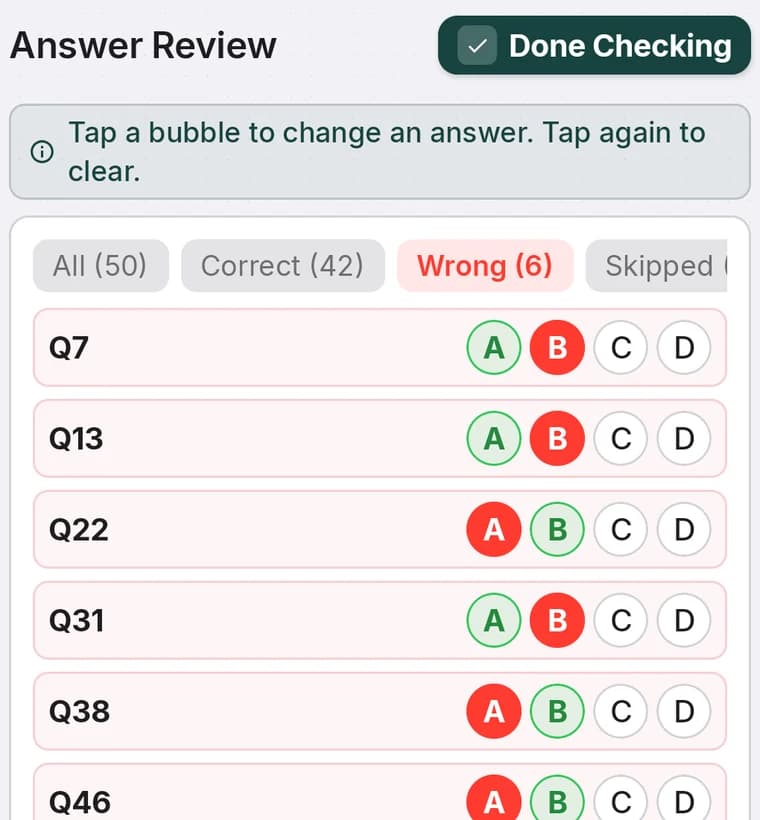
- Item Difficulty Diagnostics: Identify which specific questions were missed by the largest percentage of students so you can review weak topics in class.
- Subject-Wise Tagging: If you tagged question ranges (e.g., Physics, Chemistry, Biology), see section scores side by side via subject-wise analysis.
- WhatsApp Scorecards: Tap the WhatsApp share icon to send individual student score slips directly to parents in seconds.
- Excel & PDF Export: Download full mark-sheets as CSV for office records or print official score sheets.
Whether you are managing weekly classroom quizzes, coaching mock series, or term assessments, free OMR scanning using phone gives you the speed and precision of enterprise OMR hardware right from your mobile pocket.